NFC tags for Choreglow
Stick a tag where the chore happens, hold your iPhone near it, and Choreglow marks the chore as done. Here is which tags to buy, how to set one up, what happens when you tap it, where to stick it, and a way to tick chores off without opening the app.
What you need
- An iPhone with an NFC reader. Choreglow only shows the tag button if your device has one. iPads and iPhones without NFC can’t set up or read tags.
- Choreglow installed, with your home already created.
- One or more rewritable NFC tags (next section).
That’s all: no account, no extra app and no permission dialog.
Which tags to buy
Choreglow writes a single link of about 70 bytes on the tag. It fits the smallest of the common chips, the NTAG213 (144 bytes of user memory, per NXP’s datasheet), so that is the one to look for. The NTAG215 (504 bytes) and NTAG216 (888 bytes) work the same; they only add memory the app doesn’t use.
- Rewritable and not locked. Before writing, Choreglow asks the tag whether it can be written and whether the link fits. If not, it says “This tag can’t be written. Try another one.”
- Stickers or small discs are the most practical around the house. If the spot is damp, choose ones sold as waterproof.
- On metal (washing machine, fridge, dishwasher): metal blocks the signal. Buy tags sold for metal surfaces, or stick them on a plastic part.
- Choreglow never locks a tag, so you can reuse it for another chore later.
This guide has no purchase links on purpose.
Set up a tag from the chore’s card
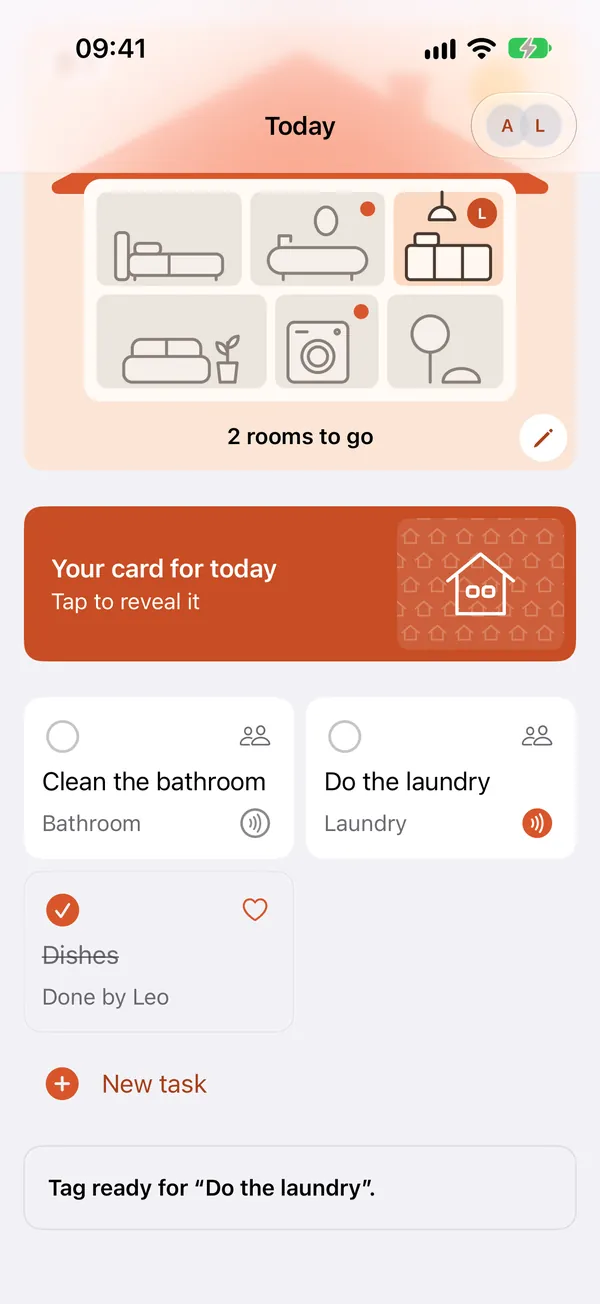
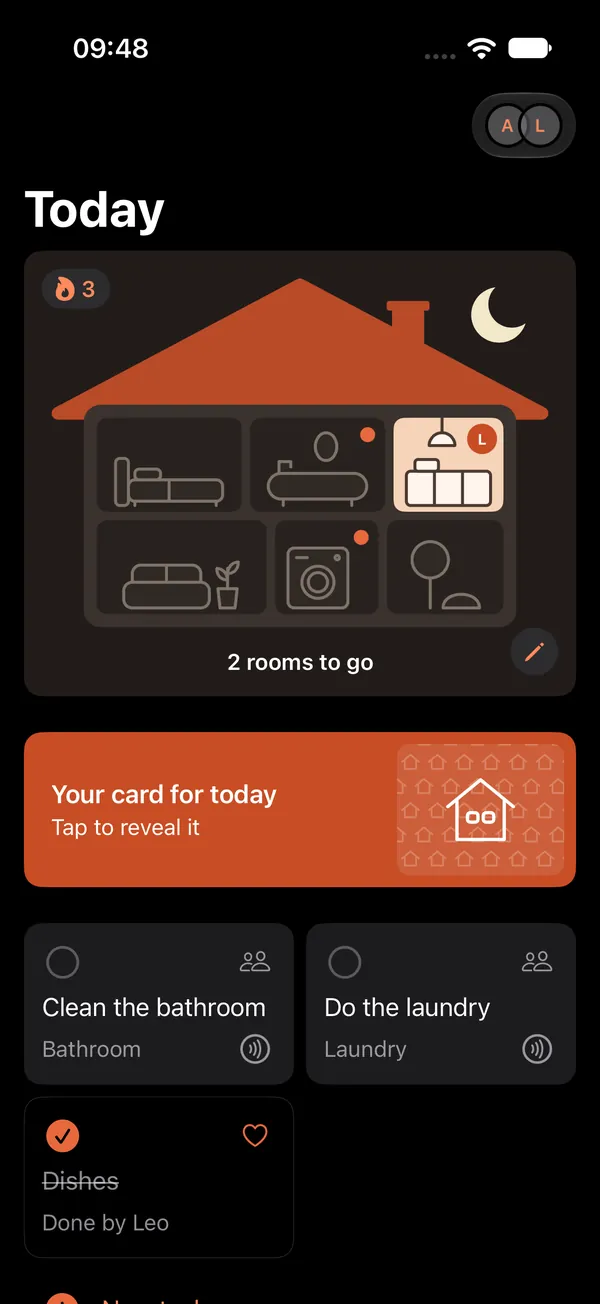
- Open Today. Every chore is a card, and at the bottom right of it there is a circle with waves.
- Tap that circle. iOS shows a sheet: “Hold your iPhone near the tag.”
- Hold the top of your iPhone against the tag and keep it still for a second.
- Choreglow says “Tag ready for ‘your chore’” and the circle turns solid. That chore has a tag now.
A second tag, or a new one
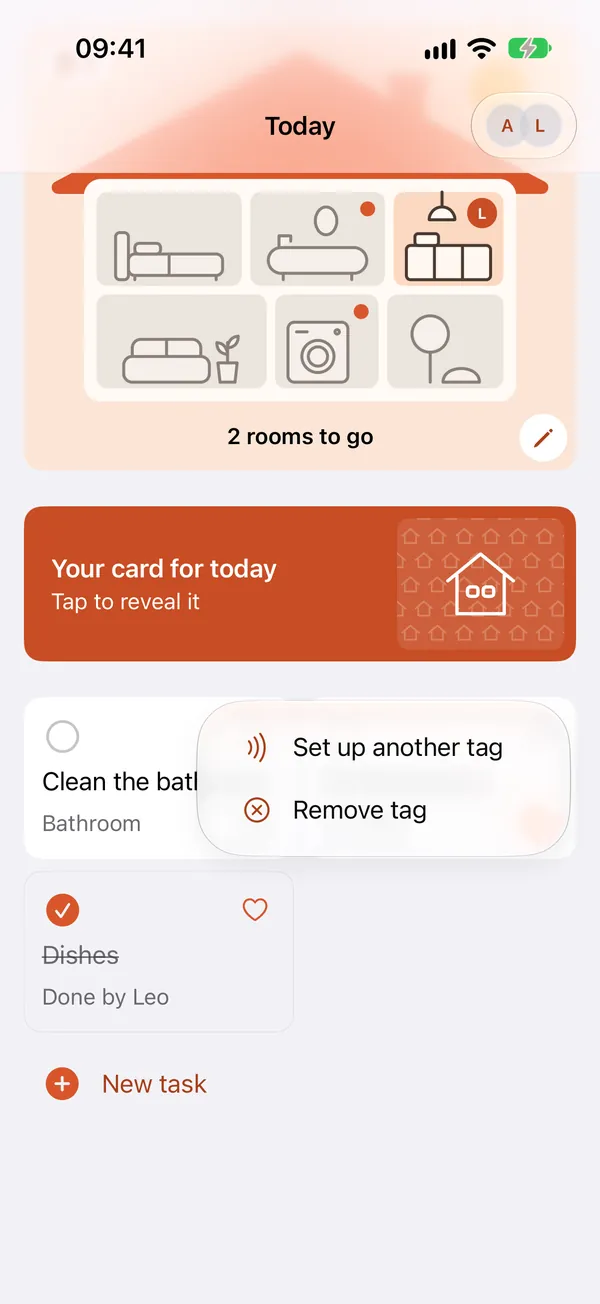
Tap the solid circle and a menu opens with Set up another tag (for a second spot, like two bathrooms, or a lost tag) and Remove tag.
Reusing a tag
If you set up a tag that belonged to another chore, it moves to the new one without asking. A chore can have several tags, but each tag belongs to one chore.
What happens when you hold your iPhone near it
iOS shows a notice for the tag. Tap it and Choreglow opens on Today. From there:
- The chore is pending today: it is marked as done, like tapping its card. Its room lights up, Today scrolls to the card and highlights it for a moment, and a message “Done: your chore” with Undo stays for a few seconds.
- It is already done today (by you or by someone else): nothing changes. A tag never unmarks a chore; Today scrolls to its card, highlights it and says it is already done.
- It isn’t due today: you get a message saying so and nothing is marked.
- The tag is from another house, or the chore was deleted: “This tag isn’t for a task in this house.” Nothing is written.
- You have no house yet: the app opens and nothing is marked.
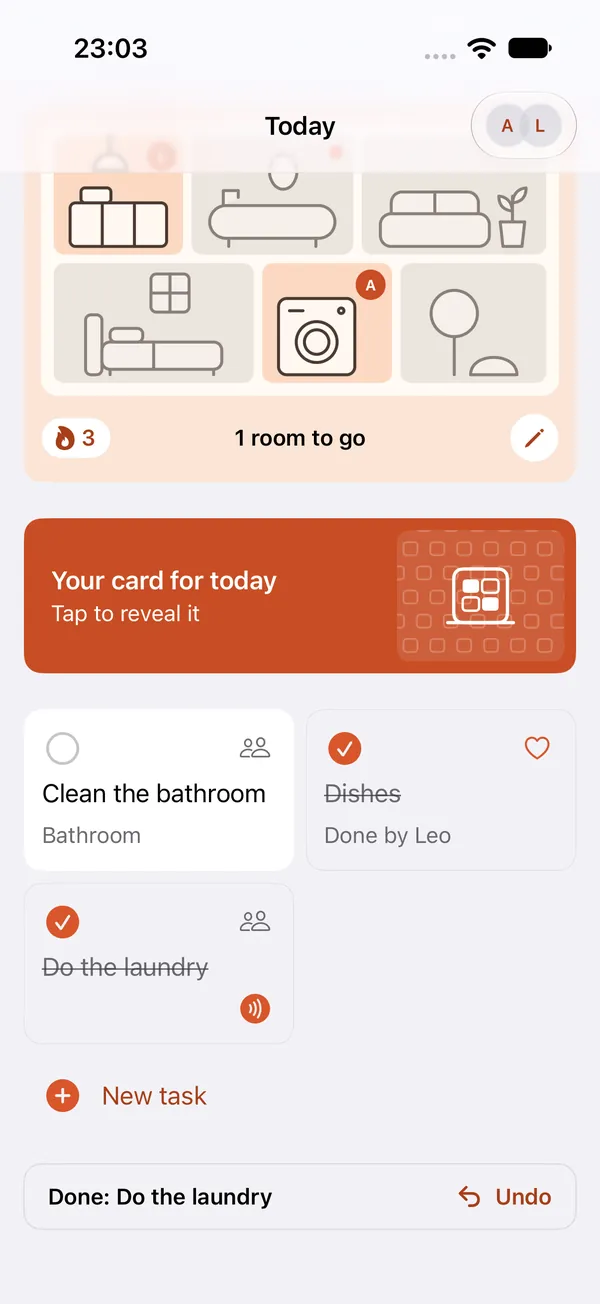
It works the same offline, or when someone else in your home is also using the app: marking never waits for anyone.
If the app isn’t installed, the tag opens a short page on choreglow.softapp.tech instead.
Where to stick them: ideas by room
- Kitchen: on the side of the dishwasher or inside the cabinet door under the sink (dishes), near the bin (take out the trash).
- Laundry: next to the detergent shelf or on the wall by the washing machine (do the laundry). Not on the machine itself unless the tag is made for metal.
- Bathroom: on the door frame or by the towel hook (change the towels, clean the bathroom).
- Bedroom: on the headboard or the bedside table (make the bed).
- Living room: on a shelf by the sofa or the vacuum cleaner’s spot (tidy up, vacuum).
- Outdoors or balcony: on the watering can’s hook or the plant pot’s saucer, and by the pet feeder (water the plants, feed the cat).
Three rules of thumb: stick it where you do the chore, on a flat surface, and away from metal. One tag per chore keeps it simple.
Tick chores off without opening the app: Shortcuts
Shortcuts can mark the chore the moment you hold your iPhone near the tag, without opening Choreglow. Shortcuts recognises each tag by its serial number, not by what is written on it, so each tag and each iPhone need their own automation, and you create it in Shortcuts. After you set up a tag, Choreglow shows a short guide (“Mark it without opening the app”), and you can see it again from the tag’s menu (“Mark without opening”). This is the whole thing, once per tag:
- Open Shortcuts and go to Automation › + › NFC, then scan this tag.
- Add Mark Task Done and, in Task, choose the chore this tag is for.
- Choose Run Immediately and save.
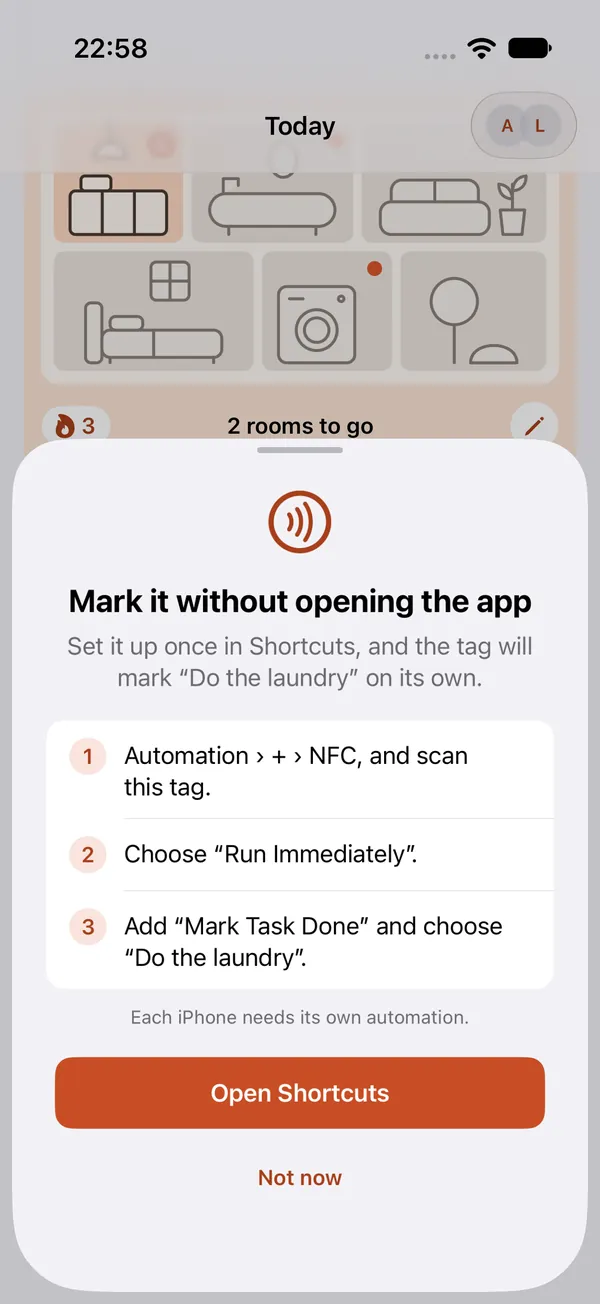
Shortcuts then replies with the same rules as the tag in the app: a pending chore is marked, one already done today is never unmarked, and one that isn’t due today is left alone. If you delete the chore, Shortcuts asks you to choose another. iOS may also show the tag’s notice.
Questions
The tag doesn’t open Choreglow
- Opening the app from a tag with it closed needs an iPhone XS or later. On the iPhone 7, 8 and X, open the NFC tag reader from Control Center.
- Apple lists cases where it doesn’t read in the background: the screen is off or the iPhone hasn’t been unlocked since it restarted, the camera is open, Wallet or Apple Pay is in use, or Airplane Mode is on. If it’s locked, iOS asks you to unlock first.
- Choreglow has to be installed. Without it you only see the web page.
- Hold the top of the iPhone against the tag, still, for a second.
It says the tag isn’t for a task in this house
The tag was set up for a chore in another house, or that chore was deleted. Set it up again from the card of the chore you want.
How do I remove a tag?
Remove tag in the card’s menu only makes Choreglow forget that the chore has one; the link stays on the chip, so holding your iPhone near it still marks the chore. To retire it, peel it off or set it up for another chore, which overwrites it.
Does it work on iPad?
No. The iPad has no NFC reader, so it can’t set up or read tags. A chore that has a tag just shows an icon there, and you can still use the tags with the iPhones of your home.
Can everyone in the house use the same tags?
Yes. Anyone in the house with Choreglow on their iPhone can hold it near the tag, and it marks the chore as if they had tapped its card.
It says the tag can’t be written
The tag is read-only, locked or too small. Try another one, preferably an NTAG213 or similar.
What is stored on the tag?
A link to choreglow.softapp.tech with a random code for the chore after the “#”. That part isn’t sent to our web server, and the tag holds nothing else: no names, no account.